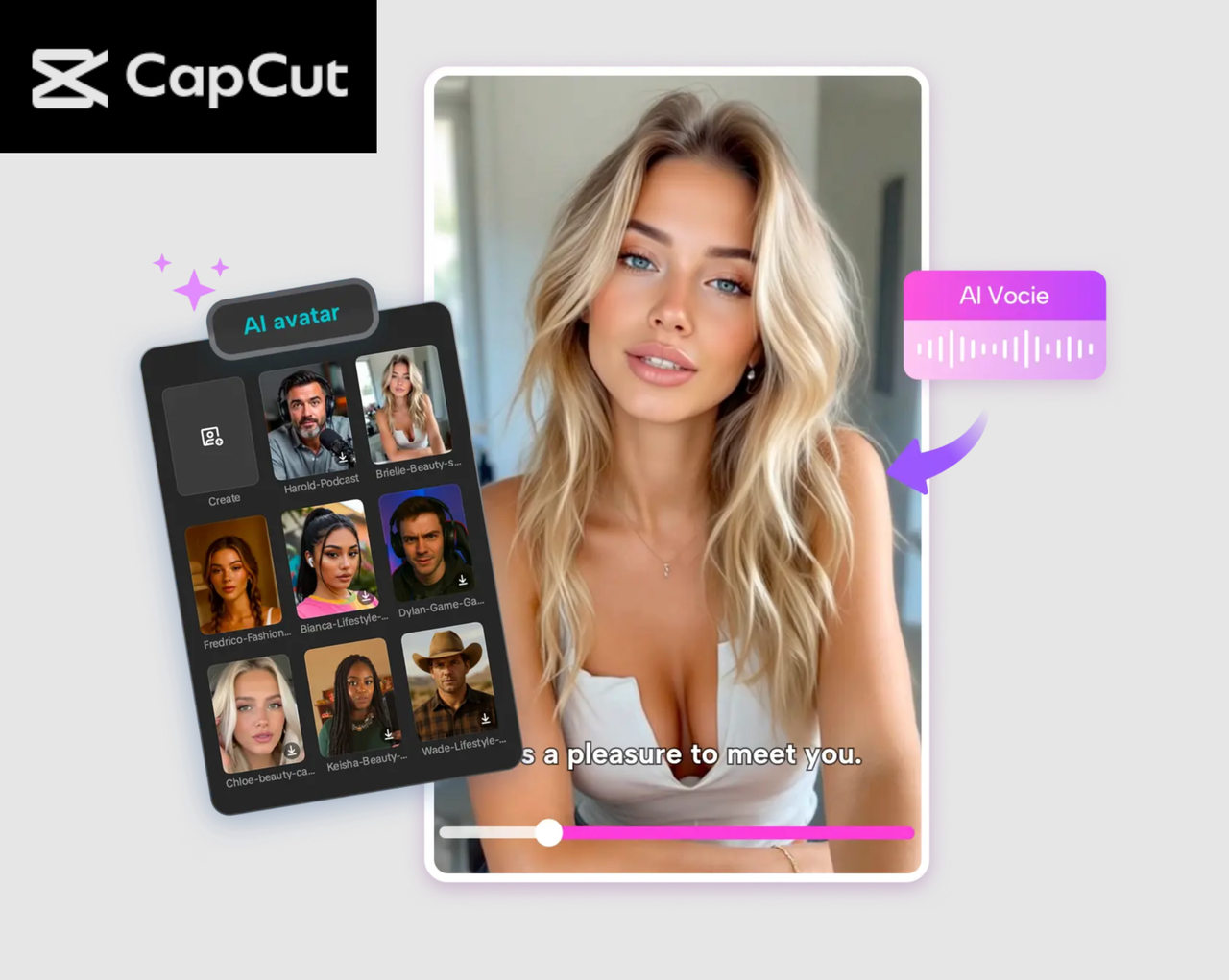
The use of AI technology has made it easier to create your digital version. CapCut PC has now allowed you to become an AI avatar and appear in videos, social media images, or presentations, and is now a reality virtual individual. This style enables designers to continue to spend time on the screen without having to shoot numerous takes or worry about configurations, settings, and acoustics. With text-to-speech AI and the avatar tools of CapCut, you can create good-quality videos efficiently and effectively.
We will take you on a tour of the main features of CapCut PC and the step-by-step procedure, which makes you an AI avatar who looks like humans, speaks like humans, and is even customizable to suit your projects.
Why Create an AI Avatar of Yourself?
The benefits of transforming into an AI avatar are varied. To begin with, it does not require you to always be in front of the camera, which saves time and energy. Second, multiple video projects can be made AI-powered without concern for coherent appearance and audio quality. Third, using your avatar in conjunction with text-to-speech AI, you can use multilingual presentations, which means that your content can be distributed to more people around the world. In general, CapCut PC offers a smooth means of production, editing, and sharing of high-end creative quality videos incorporating your digital self.
Features of CapCut PC for AI Avatar Creation
- AI Avatars Designed for Realism
CapCut PC has a very diverse range of avatars that replicate human faces, facial expressions, and lip-reading. By transforming yourself into an AI image, you can find your reflection or choose the style that corresponds to your character. They are very customizable with the option of changing facial features, clothing, and animations to ensure that once done, the results are not unique but also professional.
- Text-to-Speech AI Integration
One of the most remarkable characteristics of Capcut PC is the built-in text to speech AI, which allows you to create natural and expressive voiceovers on behalf of your avatar. You can type or paste and arrive at the speech and choose the voice style and accent, and create a clear and synchronized speech instantly, rather than recording yourself. This is so that your avatar can talk in a way that is realistic and consumes less time in the process of production.
- Visual Enhancement Tools
CapCut PC has sophisticated filters and lighting effects, as well as background replacement filters. It is possible to improve the appearance of your avatar by changing the color, brightness/ contrast, and using simple backgrounds instead of professional, creative, or branded images. Such tools also enable your avatar to blend perfectly in any kind of video work.
- Automatic Captions
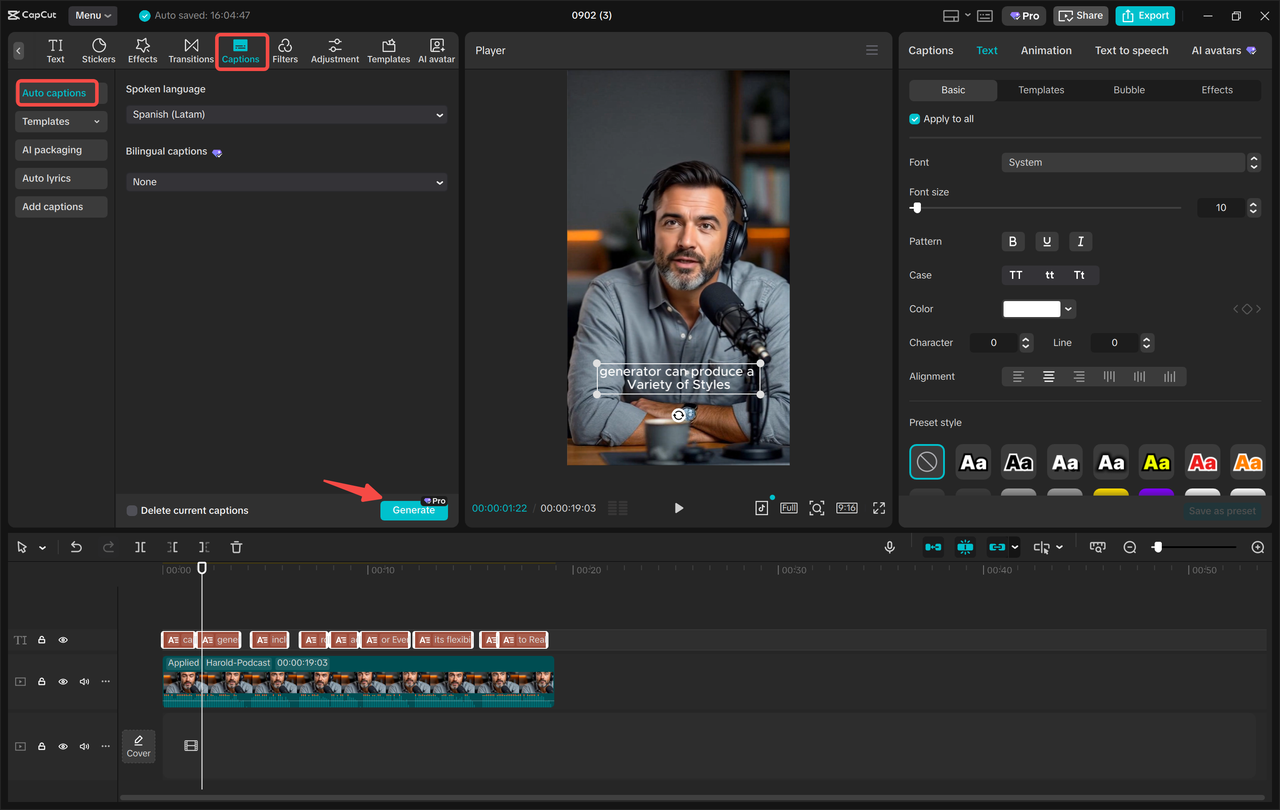
It has never been easy to add captions. The Auto Captions feature in CapCut PC is the one that creates subtitles to your avatar video to enhance accessibility and engagement. Font color, position, size, and customization allow you to create content that is more professional and easier to watch based on your video style.
- Export and Sharing Options
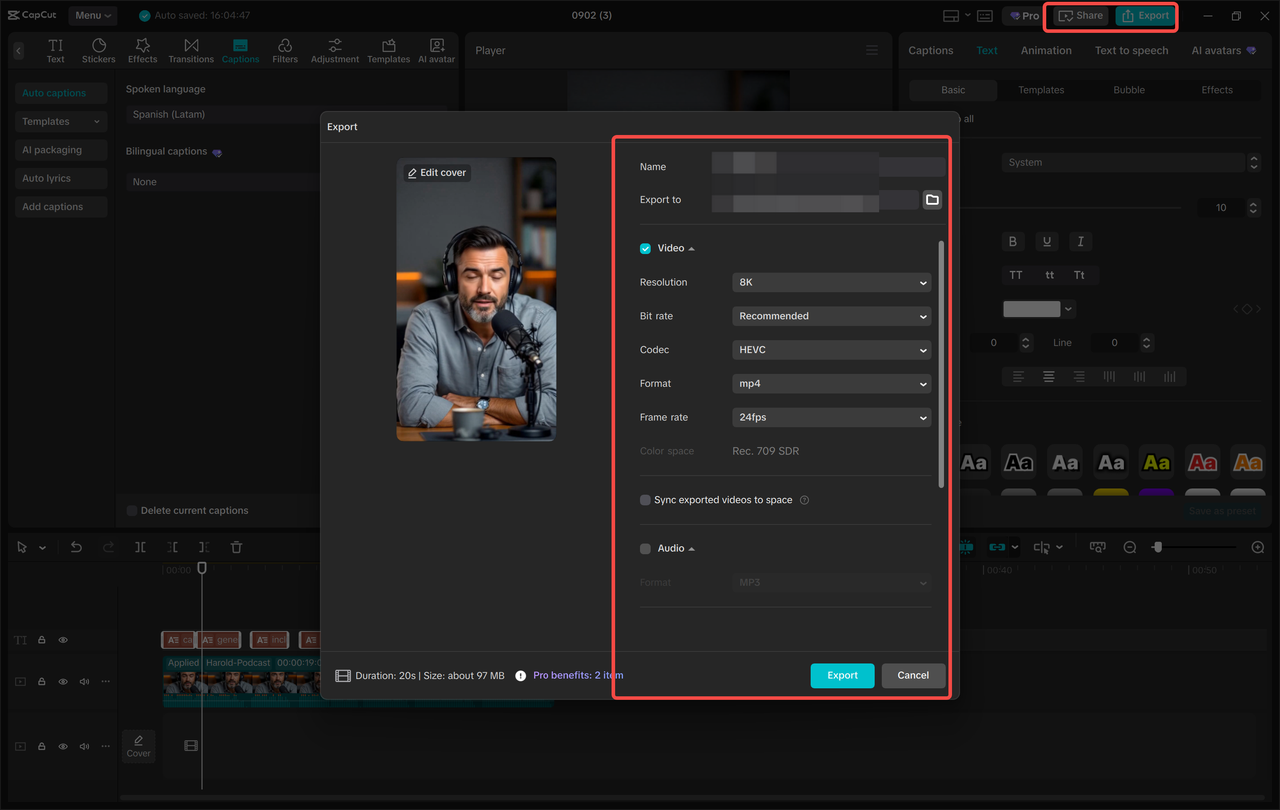
After finishing the creation of your AI avatar video, CapCut PC gives the option of exporting it with high quality in HD or 4K. Videos can be saved on your device or directly uploaded to other social platforms such as YouTube or TikTok. The software guarantees that your ultimate product has a clear background and a smooth moving effect, which makes your AI avatar ready to show to any audience.
Step-by-Step Process to Turn Yourself into an AI Avatar
Step 1: Create Your AI Avatar
Start CapCut PC and go to AI Avatar> Avatar Library. You may use an avatar, which symbolizes you, or make one according to your style.
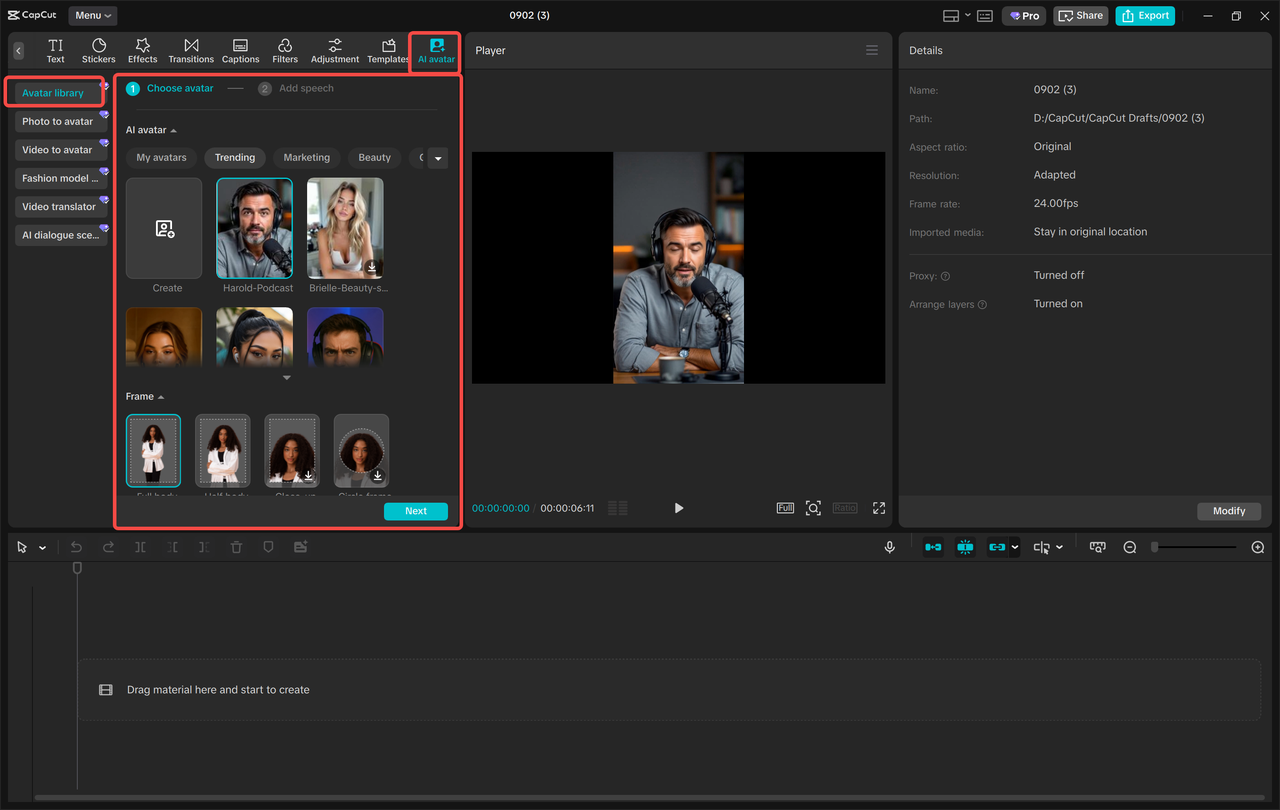
After selecting, just hit the add speech button, which allows you to add your script. Text to speech: Select a voice, tone, and speech speed, and preview. After being content, press to make your AI avatar with real-life lip-sync and faces.
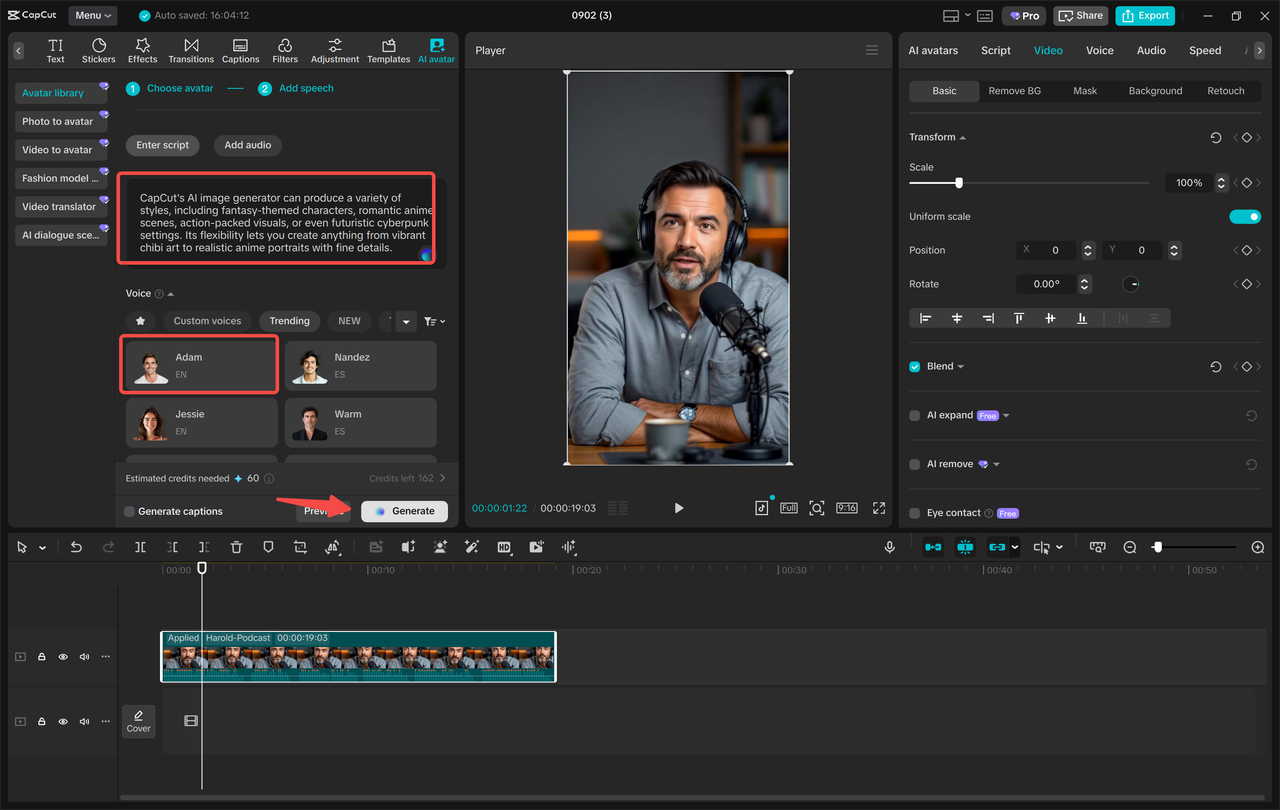
Step 2: Customize and Edit Your Avatar Video
Having created your avatar, take the last polish with the editing tools of CapCut. Use filters to make the image visually attractive, create a desirable effect of light, and adjust various colours in order to produce a professional image. Change background when necessary – this comes in handy when making presentations, branded content, or other storytelling that is themed. Lastly, select Recording options under “Captions feminine auto captions to automatically produce subtitles. Revise the text where necessary to simplify it and make it interesting to watch.
Step 3: Export and Share Your AI Avatar Video
Export the video when you are content with the changes made to it and choose the high-quality output parameters that CapCut will use. You can save it on your device in HD or 4K and share it on such platforms as TikTok or YouTube. This easy export mechanism enables you to share your AI avatar video most quickly, either in professional or social media or in educational materials.
Practical Uses for Your AI Avatar
The possibility of creating an online version of yourself brings a lot of opportunities:
Educational Videos: Teachers and instructors have the opportunity to deliver lessons through a virtual image of themselves.
Marketing Content: It doesn’t take much effort because brands and influencers can create regular and professional messages.
Social Media Engagement: Create content fast on TikTok, Instagram, or YouTube without being on camera.
Corporate training: Consider sharing with the employees a professional-looking avatar, standardized training modules.
Through an AI avatar, creators will be able to come up with better content sooner and retain a uniform, refined appearance.
Final Thoughts
CapCut PC offers an easy but efficient means to transform yourself into an AI, integrate it with the text-to-speech AI, and produce professional video content within minutes. Its various functionalities, which include customization of the avatars, visualisation, and automatic captions in addition to easy exportation, are suitable for creators, marketers, teachers, and those who may want to streamline their video processes.
You can use your AI avatar to communicate effectively with your target audience, to prepare educational media, to make professional presentations, and more.