Let’s be honest—Pipedrive isn’t magic on its own. It’s powerful, yes, but only if you set it up right and use it consistently.
And if you’re a sales pro trying to hit targets while juggling dozens of leads? You don’t have time for trial and error.
Here are the real-world tips and tricks that make Pipedrive a true sales engine. These are battle-tested, lived-in, and built for the daily grind.
1. Keep Your Pipeline Simple and Sharp
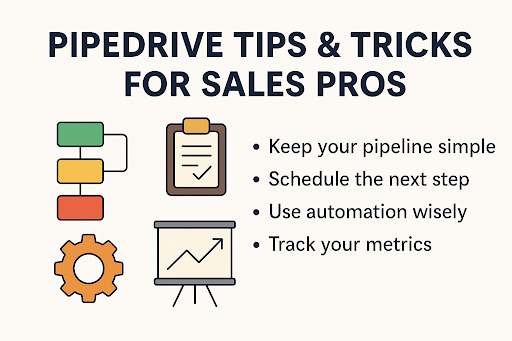
Less is more. Don’t clutter your pipeline with too many stages. Try to stick with four to six stages max. Anything more, and reps start guessing where a deal belongs.
A streamlined pipeline keeps the team aligned, improves forecasting, and ensures nothing falls through the cracks.
Pro Tip: Make sure each stage is tied to a clear action (like “Proposal Sent” or “Negotiation”), not vague ideas like “Follow-Up.”
2. Schedule the Next Step—Every Time
There’s one golden rule in sales: never leave a deal without a next activity.
Even if you just sent a quote, schedule a follow-up in 3 days. Even if the client said “circle back next month,” add it. That one extra click makes sure your deals never get stale.
Use activity reminders inside Pipedrive to stay on top of everything. And make it a team habit.
3. Customize Activity Types for Clarity
By default, Pipedrive gives you generic activity types like “Call” or “Meeting.” But you can do better.
Create custom types that reflect your actual sales motion:
- “Discovery Call”
- “Technical Demo”
- “Follow-up Email”
- “Legal Review”
Custom activity types = cleaner reports and more actionable insights.
4. Use Automation Wisely (and Humanely)
Nobody wants robotic emails flooding their inbox. But smart automation? That’s a time-saver.
Use Pipedrive’s automation builder to:
- Create follow-up tasks when a deal moves forward
- Auto-send intro emails after form fills
- Notify your team when big deals enter the pipeline
Want deeper automation without breaking things? A Pipedrive consultant like CRM Squirrel can build custom-coded workflows that actually scale.
5. Filter Like a Pro
Pipedrive’s filter system is your secret weapon.
You can segment deals by:
- Lead source
- Industry
- Time since last activity
- Stage duration
Create saved filters like “Deals with No Activity” or “Web Leads This Month” and check them weekly. Better visibility means fewer surprises.
6. Embrace Custom Fields (But Don’t Go Overboard)
Custom fields help track what actually matters to your business—product interest, deal blockers, lead score, you name it.
But here’s the key: only create fields you’ll use.
If you’re not filtering, sorting, or reporting on it—skip it. Too many fields can overwhelm your reps and slow data entry.
7. Track Your Metrics, Not Just Your Gut
Gut feeling matters in sales—but data is king.
Use Pipedrive’s Insights to track:
- Win rate per rep
- Average deal size
- Conversion rates between stages
- Time to close
If a rep is crushing it, find out why. If deals stall after demo, maybe your pitch needs work.
And if this part feels too time-consuming? Bring in CRM Squirrel to build real dashboards that reflect your KPIs.
8. Sync Emails & Stay in One Tool
Email threads are gold. Sync your email with Pipedrive so every conversation is linked to deals and contacts.
You’ll save hours hunting for “that one email” and ensure team visibility across deals.
And yes—send replies directly from Pipedrive. One less tab open. One more win.
9. Go Mobile for On-the-Go Updates
The Pipedrive mobile app is underrated.
If you’re in the field, at a trade show, or on a call—log activities, update deals, or schedule follow-ups instantly. No more end-of-day catch-ups.
Push notifications also keep you on task when life gets hectic.
10. Get Expert Help (Seriously, It Pays Off)
There’s no badge for doing it all yourself. If your setup is messy, your automations glitchy, or your team frustrated—it’s time for backup.
CRM Squirrel is a Pipedrive-only consulting firm that helps businesses:
- Clean and redesign pipelines
- Set up advanced automations
- Train sales teams to actually use the system
They build solutions with code (not just Zapier), so you can scale with confidence. Whether you’re starting from scratch or hitting ceilings, they’ll meet you where you are.
Real-Life Sales Problems We Solve With Pipedrive
- “We forget to follow up.” → Use next activities + reminders
- “Our pipeline is messy.” → Reduce stages + archive old deals
- “We waste time on admin.” → Automate repetitive tasks
- “Reporting is unclear.” → Use filters, Insights, and dashboards
- “Our reps don’t use the CRM.” → Train with CRM Squirrel’s help
FAQs
Q: How many stages should my pipeline have?
Ideally 4–6. More than that causes confusion. Keep it tight and focused on the real journey of the sale.
Q: Will automation make my sales feel cold?
Not if you set it up right. Use automation for admin stuff—follow-ups, task creation, deal movement—not personal messaging.
Q: What’s the fastest way to clean up our Pipedrive setup?
Start by archiving old deals, merging duplicates, and reviewing custom fields. Or better yet, bring in CRM Squirrel to overhaul it properly.
Final Thoughts
Pipedrive isn’t just a CRM—it’s a system that can fuel real growth. But only if you use it intentionally.
Clean your pipeline. Automate the boring stuff. Track what matters. And don’t be afraid to get expert help when you hit a wall.
Want to test it out for yourself?
Try Pipedrive free for 45 days—no credit card needed. That’s an extra two weeks beyond the standard trial, exclusively through CRM Squirrel.
Ready to get serious about sales ops? CRM Squirrel is here to help. Whether it’s a fresh setup, automations that work, or real reporting—you’ll get a system your team actually wants to use.