If you’ve decided that it’s time to cancel your CV for Success membership, you’re in the right place. Whether you’re switching to a different platform, no longer need the service, or just want to manage your subscriptions better, cancelling your account is a simple process. In this blog, we’ll walk you through the steps required to cancel your CV for Success membership smoothly, based on their official process.
Step 1: Visit the CV for Success Website
The first step is to visit the CV for Success website. You won’t need to log in to your account for this process, which makes it more convenient.
Step 2: Navigate to the Contact Us Page
On the CV for Success website, go to the Contact Us page. You can find this by scrolling to the bottom of the homepage or accessing it through the website’s navigation menu.
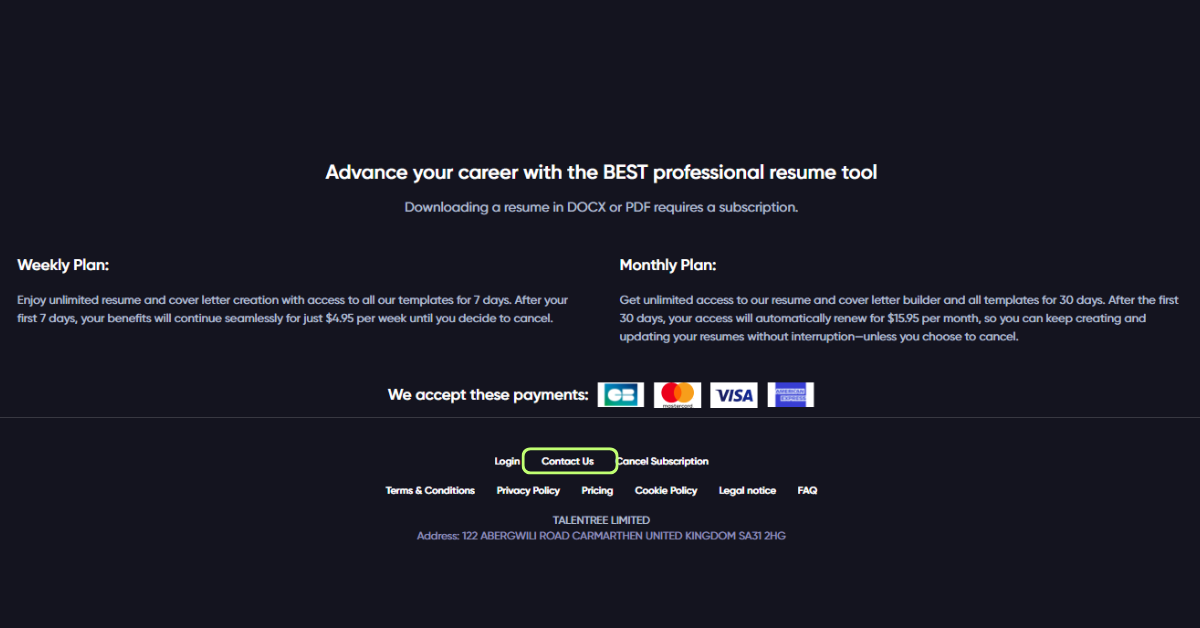
Step 3: Select the Payments Option
Once you’re on the Contact Us page, you’ll see a dropdown menu titled “Select a Topic”. From here, choose the Payments option. This will direct you to the section where you can manage your subscription details.
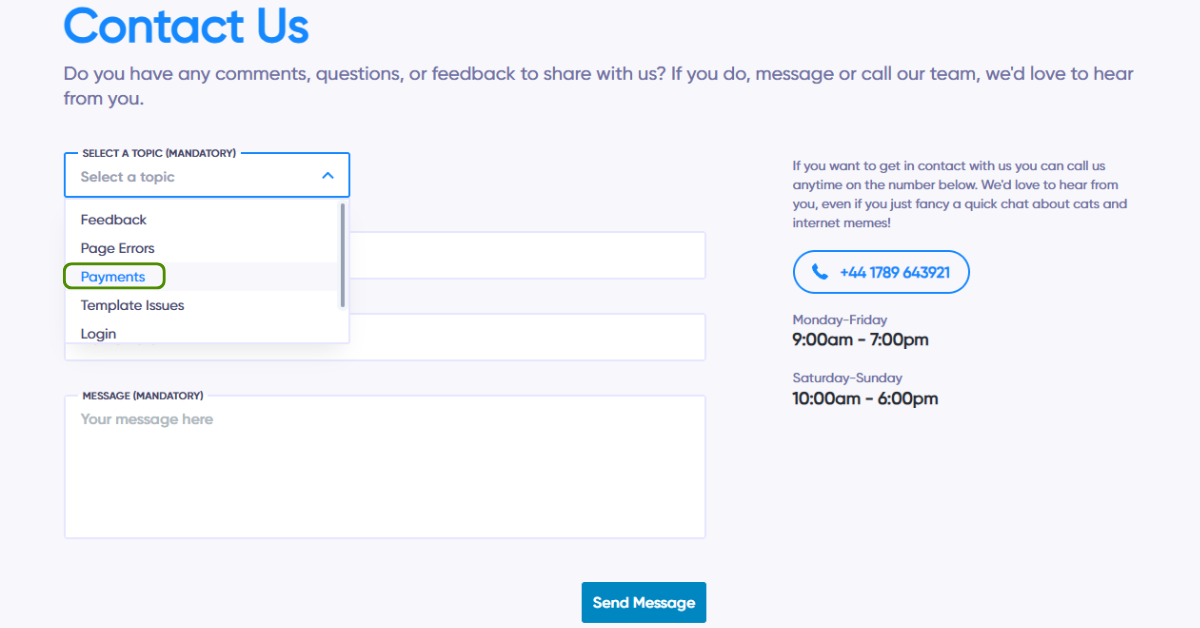
After selecting the “Payments” option, you’ll see a message that says:
“No need to wait around for our support team to cancel your subscription, you can fill in the cancellation form below now.”
Click on the “Cancel Your Subscription” link.
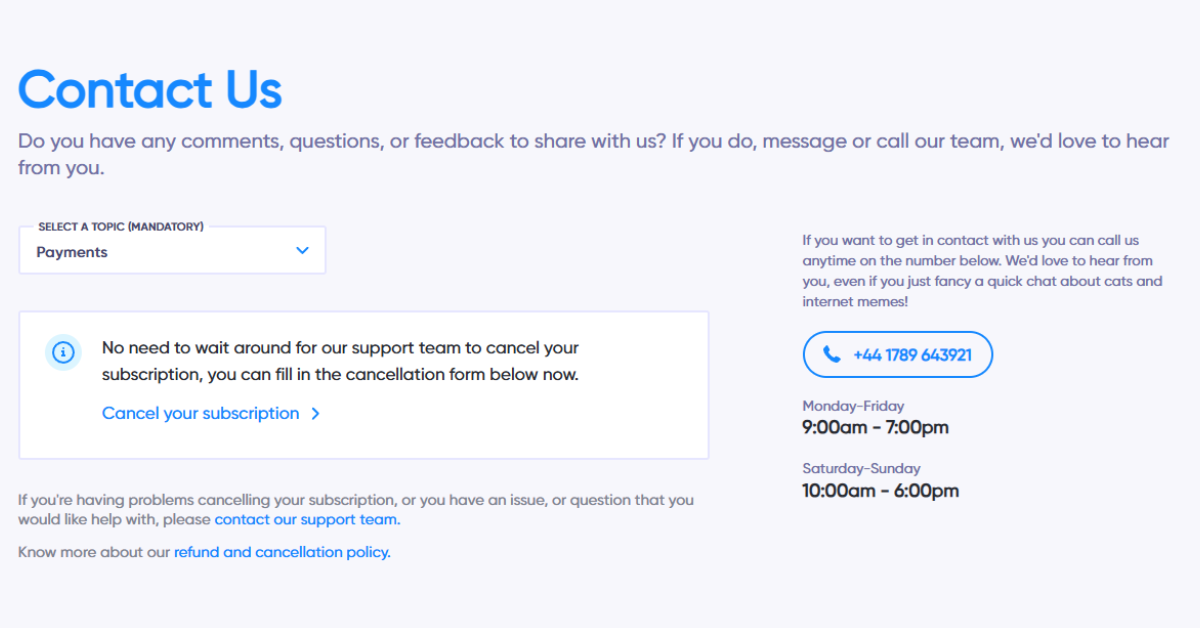
Step 4: Search for Your Account
In this section, you will need to search for your account using the email address that you used to sign up for your CV for Success. If your email address is found, you’ll be able to proceed with the cancellation.
Step 5: Click the “Cancel Subscription” Button
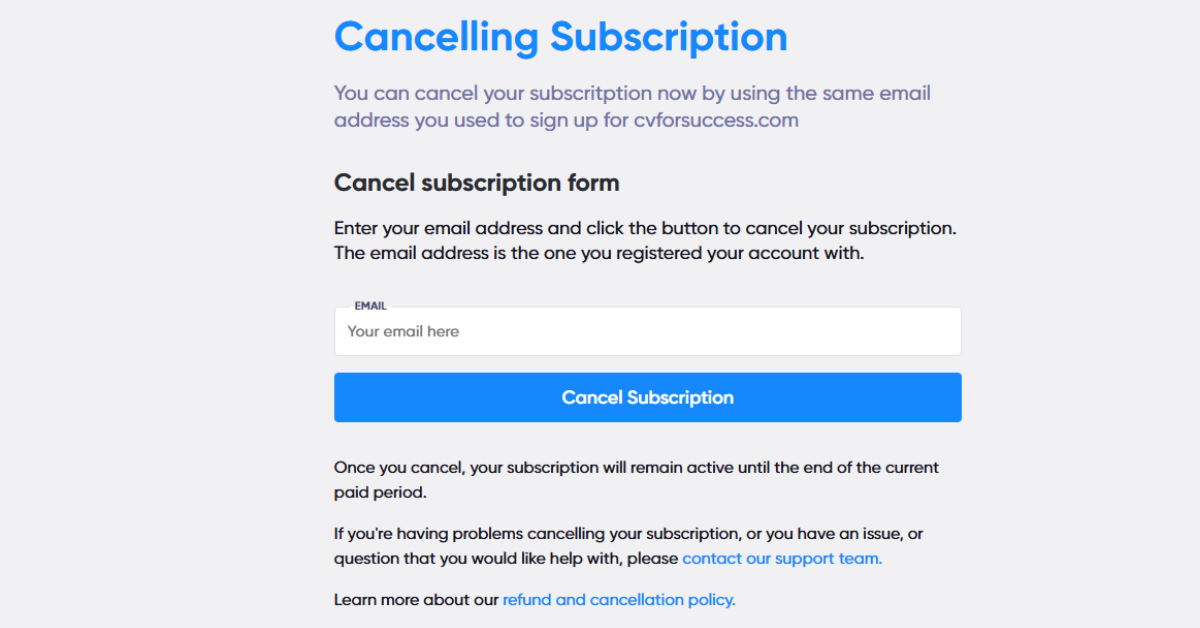
Once your account is identified, you’ll be redirected to the Cancel Subscription page. On this page, you’ll see the Cancel Subscription Form. Here, you need to enter the email address associated with your CV for Success account and click the Cancel Subscription button to proceed with the cancellation easily.
Step 6: Confirm Your Cancellation via Email
After you click the cancel button, CV for Success will send you a confirmation email. This email will contain instructions on how to confirm the cancellation. You’ll need to follow the steps outlined in the email to complete the process.
Important Tip: If you don’t see the confirmation email within a few minutes, make sure to check your spam or junk folder, as it may have been filtered there.
Step 7: Final Confirmation
Once you’ve confirmed the cancellation through the email, your CV for Success membership will be officially cancelled. You’ll receive an email confirmation once the cancellation is completed.
Tips for a Smooth Cancellation
- Backup Your Data: Before cancelling, ensure that you have downloaded any important documents, resumes, or data from your CV for Success account. Once the account is cancelled, you will lose access to these files.
- Check Your Billing: After cancelling, review your payment method (PayPal, credit card, etc.) to ensure no further charges are applied.
- Be Patient: The cancellation process might take a little time. If you don’t receive the confirmation email promptly, be patient and check your spam/junk folder.
Conclusion
Cancelling your CV for Success membership is a straightforward process when you follow these easy steps. By visiting the Contact Us page, searching for your account, and confirming the cancellation via email, you can safely end your subscription. Remember to back up any important data and check your payment method after cancellation to ensure there are no further charges.
Managing online subscriptions responsibly is an important part of maintaining a clutter-free digital life, and with this guide, cancelling your CV for Success membership will be hassle-free and smooth.