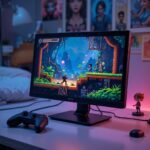
Look, I’ll be honest – I didn’t set out to become a portable monitor expert. It just kinda happened after I blew way too much money on my first gaming laptop and couldn’t afford a proper setup. Three years and four portable monitors later, I’ve learned some painful lessons about what works and what doesn’t when you’re gaming on a budget.
If you’re an indie game fan like me (hello, fellow person with excellent taste but limited funds!), finding an affordable portable monitor that doesn’t suck is weirdly complicated. So let me save you from making the same expensive mistakes I did.
The Broke Gamer’s Dilemma
Here’s the thing about being an indie gamer -we’re already saving money on the games themselves (thank god for Steam sales), but then we need somewhere decent to play them. And if you’re constantly moving between your parents’ house, your cramped apartment, and your partner’s place like I was last year, portability becomes really important.
I started this journey thinking, “How different can these monitors really be?” OH BOY was I wrong. Price doesn’t always equal quality, and some features matter WAY more than others. My first portable monitor was a $89 special from Amazon that had terrible viewing angles and died after 3 months. Lesson learned.
What Actually Matters When You’re Broke But Still Want Good Gaming
After much trial and error (and one particularly bad purchase after a late-night “I deserve this” shopping session), here’s what I’ve found actually matters:
Display Quality:
This is non-negotiable, even on a budget. Bad color reproduction makes those gorgeous indie game art styles look flat and lifeless. My second monitor made Hollow Knight look like it was underwater – all washed out and blue-tinted. Not cool. If you’re looking for a reliable display, consider checking out some high-quality computer monitors that offer great visuals for both desktop and portable gaming setups.”
Refresh Rate:
I used to think this was just marketing nonsense until I tried a 120Hz monitor after using a 60Hz one. The difference is REAL, especially in games with lots of movement. Even pixel platformers feel smoother. If you can stretch your budget for one premium feature, make it this one. For those who prioritize refresh rates, a 144 Hz gaming monitor is a great choice, especially if you want a smooth and responsive experience on a portable monitor.
Portability:
Weight matters more than you think! My first “portable” monitor was nearly 4 pounds, which doesn’t sound like much until you’re carrying it in your backpack all day. Now I won’t consider anything over 2 pounds. My shoulders have thanked me.
Connectivity:
Make sure it works with your actual devices! I bought a monitor that needed HDMI only to discover my new laptop only had USB-C. Cue me panic-ordering adapters before a weekend gaming session at my friend’s place. Not my proudest moment.
The Monitors That Actually Worked For Me
After much trial and error (emphasis on ERROR), here are the portable monitors that didn’t make me regret my life choices:
1. UPERFECT 2K 120Hz Portable Gaming Monitor
This 16-inch monitor with a 2560×1600 resolution is my current daily driver. At $189 (when I caught it on sale), it wasn’t the cheapest option, but it’s been worth every penny.
The HDR support makes indie games look INCREDIBLE – Ori and the Will of the Wisps literally made me stop and stare at the scenery instead of actually playing. The 120Hz refresh rate makes everything feel smooth, and it’s slim enough to fit in my already-overstuffed backpack.
One weird thing: the built-in speakers are surprisingly decent. I mean, they’re not going to blow you away, but they’re actually usable when you forget your headphones (which I do approximately twice a week).
2. ASUS ROG Strix XG17
OK, so this one is pushing the definition of “budget” at around $299, but hear me out. I didn’t buy this – my roommate did, and I’ve “borrowed” it enough times to have opinions.
The 17.3-inch screen with a 240Hz refresh rate is honestly overkill for most indie games, but WOW does it make everything look smooth.
The built-in battery is the real MVP though – about 3 hours of gaming without needing to be plugged in. Perfect for those coffee shop gaming sessions where all the outlets are taken by people pretending to write screenplays.
3. G-Story GSV56QM
This was my “compromise” monitor after the cheap Amazon one died. At $159, it has a 15.6-inch 1080p display with a 165Hz refresh rate and 1ms response time.
The anti-glare coating is CLUTCH if you game in weird lighting situations like I do (shoutout to the weirdly bright overhead lights in my girlfriend’s apartment). The colors aren’t quite as vibrant as the UPERFECT, but they’re solid, and the high refresh rate makes platformers feel super responsive.
My only complaint is that the stand is kind of flimsy – it wobbles if you bump the table. I ended up 3D printing a better stand at my university’s lab (one of the few perks of being a perpetual student).
Real Questions From My Discord Friends
Do these actually work with my Switch/PlayStation/whatever?
Most portable monitors have HDMI inputs, so yes! I’ve used mine with my Switch, my friend’s PS5, and even hooked it up to a Raspberry Pi for some retro gaming. Just check the inputs before buying.
The Switch is especially perfect for portable monitors since it’s already designed for on-the-go gaming. Just remember that some games have tiny text that can be hard to read on smaller screens (looking at you, Disco Elysium).
Does refresh rate really matter for indie games?
I thought it wouldn’t, but it actually does! Even 2D platformers benefit from higher refresh rates – the motion just feels smoother. Games like Dead Cells and Hades feel much more responsive at 120Hz+.
That said, for turn-based games or visual novels, you can totally save money and stick with 60 Hz. My friend plays nothing but Slay the Spire, and she’s perfectly happy with her basic 60Hz monitor.
Can I use these as my main gaming display?
I did for about 8 months when I was between apartments and living on my friend’s couch (long story, involved a bad breakup and a flooded apartment). It’s doable, but not ideal for marathon gaming sessions.
The smaller screen size means you’ll be sitting closer, which can cause eye strain during long sessions. And the built-in stands aren’t usually adjustable enough for perfect ergonomics. But in a pinch? Absolutely workable.
Final Thoughts From Someone Who’s Wasted Too Much Money
Finding the best budget portable gaming monitors for indie games is all about prioritizing what actually matters for the types of games you play. For me, that’s color accuracy, refresh rate, and actually being portable enough to toss in a backpack.
The UPERFECT 2K 120Hz hits the sweet spot for me, but your needs might be different. Just please, PLEASE don’t buy the cheapest option on Amazon like I did. In the future, you will be annoyed at current you.
And remember – a good portable monitor makes those beautiful indie game art styles really pop. After all, if you’re going to spend hours staring at Hollow Knight’s gorgeous hand-drawn world, it should at least look how the developers intended!