Face changing technology has moved past chaotic social media filters. It’s no longer just a novelty; it’s a viable asset for digital imaging pipelines. The term “deepfake” often brings up concerns about misinformation, but the underlying tech offers serious utility for designers, marketers, and content managers. The question for professionals isn’t about capability anymore. It’s about application: How do we use Face Swapper responsibly without crossing ethical lines or sacrificing quality?
Face Swapper by Icons8 bridges the gap between casual mobile apps and grueling manual editing. It uses generative AI to create new pixel data rather than just stretching a source image over a target. The goal is high-resolution results that actually stand up to commercial scrutiny.
Understanding the Generative Mechanism
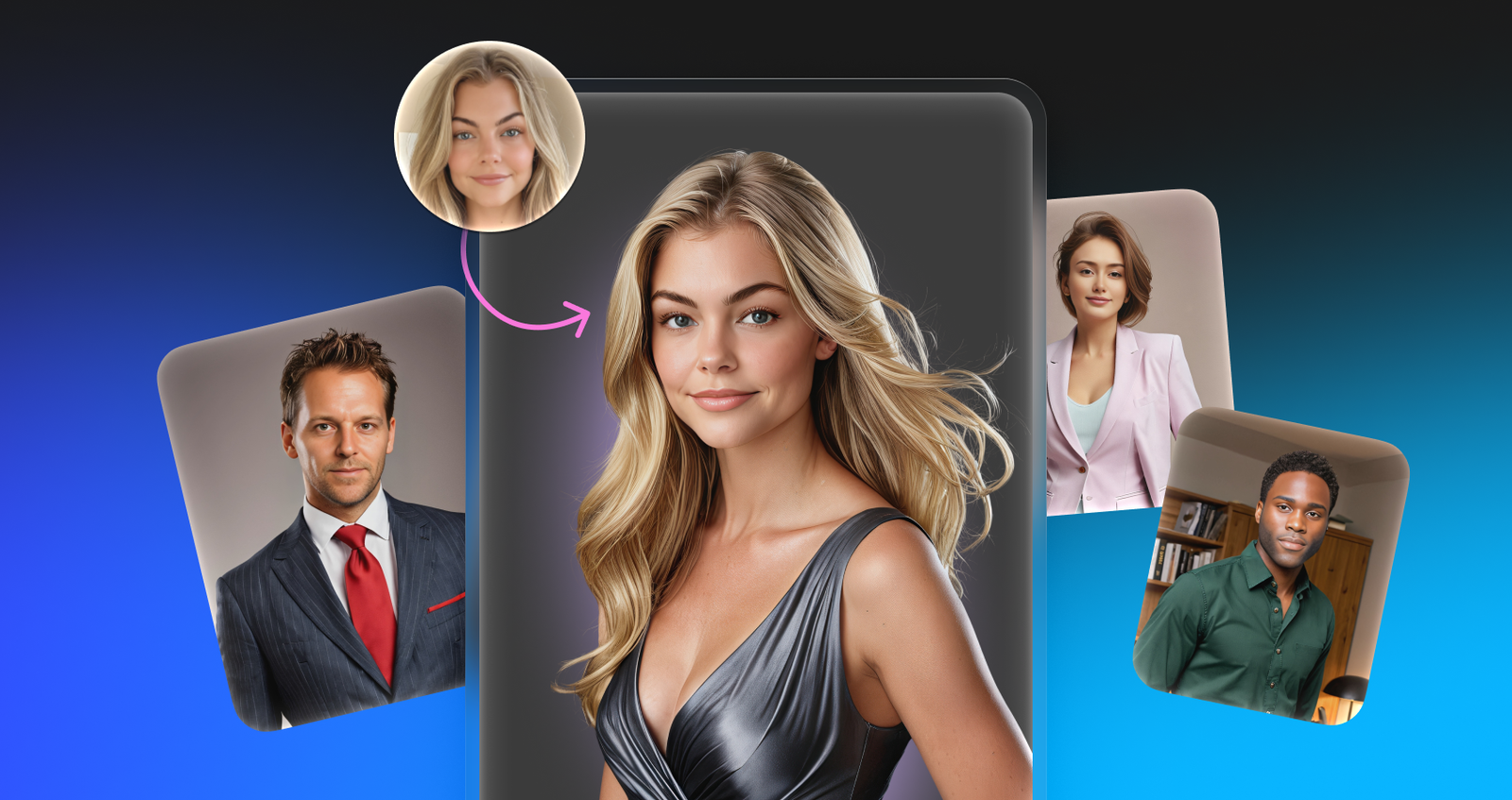
Don’t think of this tool as a literal “cut and paste.” It’s smarter than that. When you upload a source face and a target body, the AI analyzes facial landmarks on both images. Then, it generates a completely new face that sits “in between” the two identities.
The resulting image keeps the lighting, skin tone, and angle of the target photo but adopts the facial features of the source. This distinction matters. You aren’t getting a pixel-perfect clone; you get a synthetic approximation. That synthesis lets the tool handle different head poses, from front-facing to side portraits, where a simple copy-paste would fail.
Scenario 1: Localizing Marketing Assets
Global marketing teams often struggle to localize visual assets without blowing the budget on multiple photoshoots. A campaign featuring a model that resonates with a North American audience might not connect as well in East Asian or European markets.
Here, a content manager starts with a licensed, high-quality stock photo. The composition and lighting are perfect, but the demographics need an adjustment for a specific regional launch.
The manager uploads the primary campaign image to Face Swapper. They select a source face-either a custom upload of a hired model or a generated face from a library. The tool swaps the faces but preserves the original lighting and grain of the stock photo. Since Face Swapper supports output resolutions up to 1024px, the resulting image remains crisp enough for web use and digital brochures. Brands can maintain visual consistency across regions while ensuring cultural relevance.
Scenario 2: Privacy and Anonymity in Case Studies
Designers in sensitive sectors like healthcare, legal tech, or social services face a dilemma. You need human imagery to make designs empathetic, but you can’t use photos of real patients or clients due to privacy regulations.
Blurring faces or slapping black bars over eyes ruins the aesthetic. It dehumanizes the subject. In this context, the “in-between” generation nature of the tool acts as a privacy feature.
Imagine a UX designer creating a case study for a medical portal. They have photos from a user testing session. To publish these findings without violating consent forms, the designer uploads the session photos. They swap the participants’ faces with AI-generated “non-existent” people. The result preserves the emotional context-the smile, the frustration, the engagement-but masks the biometric identity of the original subject.
Using an ai face swap tool keeps the human element intact while rendering the individuals unrecognizable. You can view history and re-download images without extra GPU costs, so processing an entire session becomes a quick batch task.
A Narrative Example: The Team Photo Rescue
Meet Quinn, an operations manager at a logistics firm. It’s website update week, and the team just spent an hour organizing a group photo. Lighting was difficult. Getting twelve people to look at the camera simultaneously proved impossible.
The best take has great lighting and smiles from eleven people. But the CEO is mid-blink and talking. Quinn has a decent solo headshot of the CEO taken five minutes later, but the background is totally different.
Quinn opens Face Swapper in the browser.
- Input: Quinn drags the group photo (the target) into the upload zone. The 4MB JPG is well within the 5MB limit.
- Selection: The interface detects all twelve faces. Quinn clicks the CEO’s blinking face.
- Source: Quinn uploads the good solo portrait.
- Processing: The AI maps the open eyes and closed mouth of the solo shot onto the body and lighting of the group shot.
- Refinement: The swap looks accurate, but the skin tone shifted slightly due to harsh office lighting. Quinn re-uploads the result and uses the “Skin Beautifier” trick-swapping the face with itself-to smooth out artifacts.
- Download: The final image is ready. Resolution is preserved, and the team page gets updated without scheduling a reshoot.
Comparing the Landscape
Professionals have three main avenues for face swapping. Each has trade-offs.
Manual Compositing (Photoshop)
This is the traditional route. It offers 100% control and works at any resolution. But it requires serious skill in color matching, perspective warping, and blending layers. A realistic swap can take 30 minutes to an hour per face. It’s the right choice for billboard-print quality but inefficient for volume.
Mobile Apps (Reface, FaceApp)
Built for virality. They are fast and handle video well, but they aggressively compress images. The output is usually low-resolution, and privacy policies regarding data usage can be questionable. Rarely suitable for professional workflows.
Icons8 Face Swapper
This tool sits in the middle. It automates blending and color matching like the mobile apps but prioritizes higher resolution (1024×1024 px for faces) and data privacy. Images get deleted permanently after a set period. It removes the manual labor of Photoshop but offers better quality assurance than viral apps. Ideal for web graphics, presentations, and mockups.
Limitations and When to Avoid
Even with advanced AI, the tool has technical boundaries. Respect them to avoid uncanny valley results.
- Occlusion Issues: The AI struggles with obstructed faces. If a subject has a hand over their mouth, wears a heavy mask, or has hair falling directly across their eyes, the swap will likely fail. The AI attempts to generate a whole face and doesn’t know how to put the hand back on top.
- Extreme Angles: The documentation warns about 3/4 head positions. In practice, profiles are hit-or-miss. The AI has less data to work with when only one ear and one eye are visible.
- File Constraints: The 5MB file limit means raw photography from a DSLR needs compression before uploading. Output quality is good, but you can’t feed it massive 50MB TIFF files directly.
Practical Tips for Best Results
The “Beautifier” Hack
If a photo has noise or minor blemishes, use Face Swapper as a retouching tool. Upload a photo, select a face, and then upload the exact same photo as the source. The AI regenerates the face based on itself. This often smooths out skin texture and reduces noise.
Leverage Integrations for Print
If the 1024px output isn’t enough for a print brochure, don’t rely on simple resizing. The tool integrates with the Smart Upscaler. Run the swap first. Then, pass the result through the Upscaler to increase resolution and recover detail before sending it to layout.
Manage Your History
For privacy-conscious projects, remember that images are stored securely but remain accessible via your history. Working on a confidential project on a shared machine? Manually clear the history immediately after downloading your assets. Otherwise, images auto-delete after 30 days.
Batch Processing Strategy
Need to process a large number of headshots? Creating a uniform look for a company directory is a great use case, but performance can degrade with massive batches in the browser. Process them in groups of 5-10. This ensures the browser doesn’t time out or lag.
Face Swapper moves the mechanism from “entertainment” to “utility.” Understand the generative nature, respect the limits regarding occlusion, and you can save hours of manual retouching time.