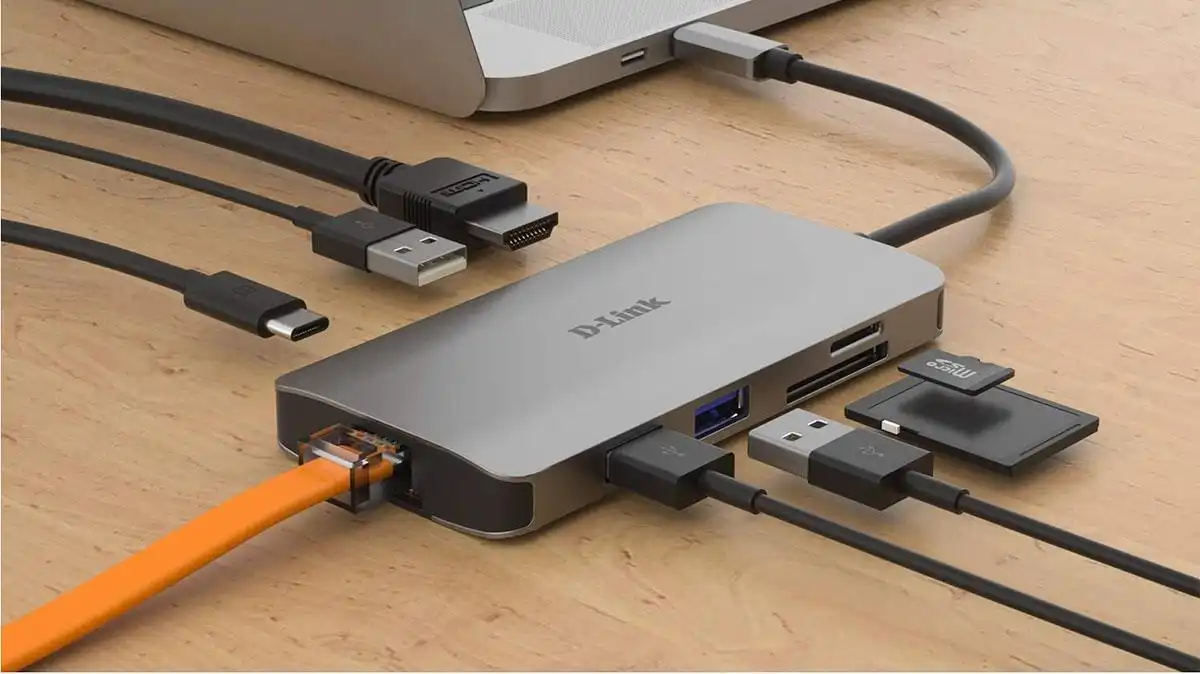
Technology is constantly evolving, and with it, the types of ports and connectors we use daily. In recent years, USB-C has become the standard for most modern devices, from smartphones and tablets to laptops and even gaming consoles. While this shift brings faster charging, higher data transfer speeds, and a more universal connection, many people still own gadgets, accessories, or storage devices that rely on the older USB-A format. This is where the USB to USB-C adapter comes in—a small but incredibly useful accessory that bridges the gap between past and present technologies.
In this guide, we’ll explore why this adapter has become so important, how to choose the right one, and what to look for when buying in 2025.
Why do you need a USB to USB-C adapter?
When device manufacturers transitioned to USB-C, it left many users scrambling to find solutions for their older accessories. Imagine buying a new laptop that only has USB-C ports while your external hard drive, keyboard, or flash drive still uses USB-A. Without an adapter, those devices are practically unusable.
A USB to USB-C adapter ensures compatibility between old and new technology. It allows you to connect traditional USB peripherals—like mice, printers, cameras, and storage drives—to modern laptops, tablets, or smartphones with USB-C ports. For professionals, this can be the difference between seamless productivity and constant frustration. For casual users, it’s simply a way to extend the lifespan of older devices without having to replace them.
Key benefits of using an adapter
- Universal Compatibility
The biggest advantage of an adapter is that it makes your older devices work with newer ones. Whether you’re connecting a USB flash drive to a smartphone or an external keyboard to a laptop, the adapter eliminates compatibility issues. - Cost-Effective Solution
Buying all-new accessories can be expensive. An adapter provides an affordable way to keep using what you already own without unnecessary upgrades. - Portability
Most adapters are compact, lightweight, and easy to carry around. They can fit into a pocket, laptop bag, or even stay connected to a device permanently for convenience. - Versatility
Many adapters now support not just data transfer but also fast charging, making them versatile tools for daily use.
Features to look for in a USB to USB-C adapter
Not all adapters are created equal. When shopping for one, there are several important factors to keep in mind:
- Build quality
Choose an adapter made from durable materials like aluminum alloy or reinforced plastic. These resist wear and tear better than cheaper models. - Data transfer speed
Check whether the adapter supports USB 3.0 or higher for faster file transfers. If you frequently move large files, this will save you a lot of time. - Charging capability
Some adapters are designed only for data transfer, while others also support charging. If you plan to use it for powering devices, make sure it supports fast charging standards. - Compatibility
Ensure the adapter works across a wide range of devices—Windows, macOS, Android, and more. Universal compatibility ensures you can use it for multiple gadgets. - Size and design
A compact, minimal design is ideal for portability. Some adapters even come with keychain attachments, so you won’t misplace them.
Best uses for a USB to USB-C adapter
Adapters are useful in countless scenarios, especially as USB-C becomes more widespread. Here are some common ways people use them:
- Transferring files: Moving photos from a USB flash drive to a modern laptop.
- Connecting peripherals: Using older keyboards, mice, or printers with a new USB-C-only computer.
- Charging devices: Some adapters allow you to charge older gadgets with a newer USB-C cable.
- Accessing external storage: Photographers and video editors often use adapters to access files from traditional USB drives.
Common mistakes to avoid
When buying a USB to USB-C adapter, avoid these common pitfalls:
- Choosing the cheapest option: Low-quality adapters may break easily or fail to support proper charging and data transfer speeds.
- Ignoring compatibility: Not all adapters work with every device. Always check the manufacturer’s compatibility list.
- Overlooking speed ratings: If you settle for a USB 2.0 adapter, you’ll notice significantly slower transfers compared to USB 3.0 or higher.
The future of connectivity
As more devices adopt USB-C exclusively, the need for adapters will remain strong for the foreseeable future. However, it’s worth noting that manufacturers are slowly phasing out USB-A accessories. Over time, you may find yourself relying less on adapters as you upgrade to newer technology.
Still, in 2025, an adapter is an indispensable tool for anyone bridging the gap between old and new. Whether you’re a student, professional, or tech enthusiast, it ensures that no device in your collection becomes obsolete too quickly.
Tips for maintaining your adapter
Since adapters are small and easy to lose or damage, here are a few quick tips for keeping them in good condition:
- Store them in a pouch or organizer when not in use.
- Avoid bending or putting pressure on the connector.
- Keep them clean and free of dust.
- Invest in more than one adapter so you always have a backup.
Conclusion
The shift to USB-C has brought faster, more efficient connections, but it has also created challenges for anyone with older devices. That’s why the USB to USB-C adapter is such a practical accessory in today’s tech-driven world. Affordable, portable, and highly versatile, it ensures that your existing devices remain useful without forcing you to replace them prematurely.
If you’re shopping for one in 2025, focus on build quality, speed, and compatibility to get the most out of your purchase. By choosing wisely, you’ll enjoy the best of both worlds—modern connectivity with the convenience of your trusted older gadgets.