You’ve seen it before. You look at a monitor from the side, and the colors look washed out. The image gets dark, or it seems to invert. This happens because of viewing angles. It’s a technical spec that has a very real effect on your daily screen use.
This article explains what viewing angles are, why they matter, and how they change your experience with any screen.
What Are Viewing Angles?
A viewing angle defines how far you can move to the side of a screen before the image quality starts to change. It is measured in degrees.
Think of it like a spotlight. If you stand directly in the spotlight, it’s bright and clear. If you move to the side, the light gets dimmer and less focused. A monitor works in a similar way.
The technical definition is the angle at which the monitor’s contrast ratio drops to a certain level, often 10:1. This is when the image becomes hard to see accurately.
How Viewing Angles Are Measured and Listed
You will see viewing angles listed in degrees, like “178° (H) / 178° (V).” This means the image looks good whether you’re viewing it from 178 degrees horizontally or vertically.
Sometimes, especially with specialty displays, you might see clock terms like “6 o’clock” or “12 o’clock.” This tells you the best direction to view the screen from.
- 6 o’clock (Bottom View): Best for screens viewed from below, like a desktop calculator or a handheld device.
- 12 o’clock (Top View): Best for screens viewed from above, like a car dashboard or an ATM.
Why Viewing Angles Matter in Real Life
Viewing angles aren’t just a number on a spec sheet. They affect how you use your monitor every day.
For Multi-Person Viewing:
If you’re watching a movie or playing a couch co-op game with friends, a wide viewing angle is crucial. Everyone gets a clear view, no matter where they’re sitting. A narrow viewing angle would make the picture look bad for anyone not sitting directly in the center.
For Accurate Color Work:
Graphic designers, video editors, and photographers need color accuracy. If you lean slightly to the left or right and the colors on your screen shift, your work will be inconsistent. A monitor with poor viewing angles is useless for professional creative work.
For Comfort and Flexibility:
Sometimes you slouch in your chair. Sometimes you stand up to stretch while still looking at your screen. A good viewing angle lets you do this without the image becoming unusable. It reduces eye and neck strain because you aren’t forced to maintain one perfect position.
For Unique Setups:
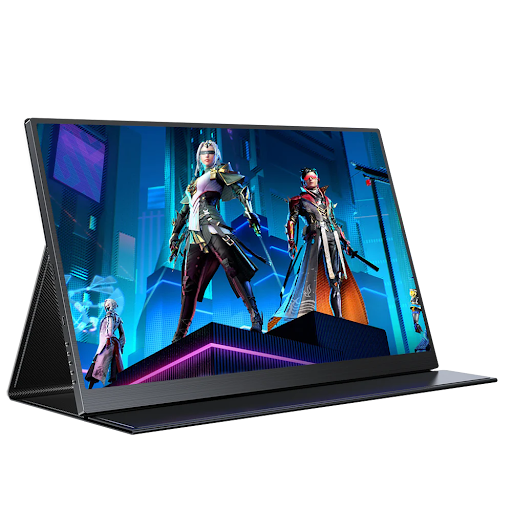
This is where a unique product like a folding monitor shines. These innovative displays are designed for flexibility and often feature IPS technology to ensure the picture remains consistent even when the screen is bent or viewed from unconventional angles.
The Technology Behind Viewing Angles: IPS vs. OLED
Not all screens are created equal. The type of panel technology determines the viewing angle.

- IPS (In-Plane Switching) Panels: This is the current standard for good viewing angles. IPS panels are known for their excellent color consistency, wide viewing angles (typically 178°/178°), and good overall image quality. This is why most modern 144hz ips monitor products use this technology; it ensures smooth gameplay looks great from any position.
- OLED Panels: OLED technology offers the best viewing angles. Since each pixel produces its own light, there is no backlight to cause color shift. You can view an OLED screen from an extreme angle and the image remains almost perfectly consistent.
- TN (Twisted Nematic) Panels: Older and cheaper monitors often use TN panels. They have very narrow viewing angles. Color and contrast shift dramatically if you’re not looking at them dead-on.
A Simple Comparison of Panel Types
| Panel Technology | Viewing Angles | Color Accuracy | Best For |
| OLED | Excellent (Best in class) | Excellent | Premium viewing, creative professionals |
| IPS | Very Good (Typically 178°/178°) | Very Good | General use, gaming, most professional work |
| VA | Good | Good | High contrast ratio for movies and media |
| TN | Poor | Fair | Competitive gaming (for fast response times only) |
Beyond the Spec: How to “Test” Viewing Angles Yourself
You can’t always trust the marketing. Here’s a simple way to test a monitor’s viewing angle in person:
- Open a document with black text on a white background.
- Stand directly in front of the monitor. Note how the image looks.
- Now, move to the side. Crouch down. Stand up.
- Watch for changes. Do the black letters turn gray? Does the white background look yellow or dim? The sooner this happens, the worse the viewing angles are.
A monitor with great viewing angles will show almost no change as you move around.
Frequently Asked Questions
Q: Is a wider viewing angle always better?
For most uses, yes. But there are exceptions. Some security or privacy screens are designed with narrow viewing angles on purpose. This prevents someone standing next to you from seeing what’s on your screen.
Q: Can I improve the viewing angles on my old monitor?
No. Viewing angles are a physical property of the panel itself. You can’t upgrade it with software. Your only option is to adjust the monitor’s position or how you sit.
Q: Does screen size affect viewing angles?
Not directly. A large screen and a small screen can have the same viewing angle specification. However, on a larger screen, you are more likely to be looking at the edges from an angle, so the effect of poor viewing angles might be more noticeable.
Q: How important are viewing angles for a single user?
They are still important. You are not a statue. You move, shift, and slouch. Good viewing angles give you the freedom to move without constantly rearranging your monitor to see it perfectly.
Q: Are curved screens better for viewing angles?
Curvature can help. On a very wide curved screen, the edges are pointed more directly at your eyes. This can make the image feel more uniform and reduce the color shift you might see on the edges of a large flat screen.
The Bottom Line
Viewing angles are a critical spec that directly impacts your comfort and how you use your screen.
For shared screens, creative work, or just your own personal comfort, prioritize monitors with wide viewing angles. Look for IPS or OLED technology to ensure the image stays true no matter where you’re sitting.
Don’t get fooled by other flashy specs. A monitor with a high refresh rate but poor viewing angles will only look good if you never move. Your next screen should work with you, not against you.