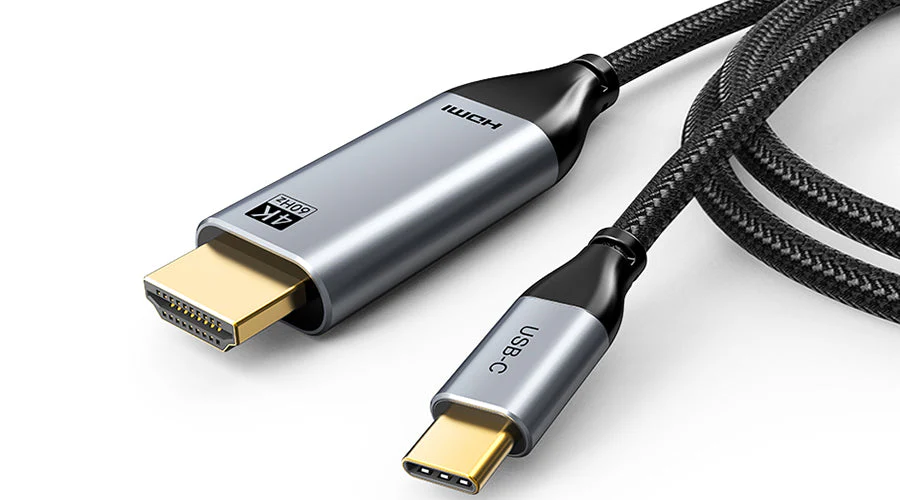
In today’s fast-paced digital world, having the right cable can make all the difference when it comes to work, entertainment, and productivity. With more devices adopting USB-C ports, people often find themselves searching for ways to connect their laptops, tablets, or smartphones to external displays. That’s where solutions like an HDMI to USB C adapter or a reliable USB C to HDMI cable come into play. These tools bridge the gap between modern USB-C devices and traditional HDMI displays, making them essential for professionals, students, and everyday users.
Why HDMI and USB-C are essential in modern devices
HDMI (High-Definition Multimedia Interface) has long been the standard for connecting monitors, TVs, and projectors. It supports both video and audio, making it ideal for streaming, gaming, and professional presentations. On the other hand, USB-C has become the universal port for modern devices, thanks to its compact design and versatility. It can handle power delivery, fast data transfer, and video output all in one port.
When you need to connect a new laptop with only USB-C ports to a TV or monitor with HDMI input, an HDMI to USB C solution is exactly what you need. Similarly, if you’re looking for a direct plug-and-play option, a USB C to HDMI cable offers a simple way to enjoy high-quality video without extra adapters.
Benefits of using HDMI to USB C connections
One of the biggest advantages of using an HDMI to USB C adapter is compatibility. Many devices today, including MacBooks, Chromebooks, iPads, and even smartphones, come equipped only with USB-C ports. Without a proper adapter, connecting them to an HDMI display would be impossible.
Some of the benefits include:
- Seamless video streaming: Enjoy smooth playback on larger screens, perfect for movies or online content.
- Professional use: Ideal for presentations, meetings, or classroom setups where you need to display content on a projector.
- Gaming: Gamers can connect their devices to bigger displays for a more immersive experience.
For people who regularly switch between work and entertainment, having a compact HDMI to USB C adapter in your bag ensures you’re always prepared.
The role of the USB C to HDMI cable
While adapters are great, sometimes simplicity is key. A USB C to HDMI cable eliminates the need for multiple connections. Instead of plugging in an adapter and then attaching an HDMI cable, you get a direct link between your device and the display. This type of cable is often favored for its ease of use, portability, and reliability.
Whether you’re connecting your laptop to a conference room projector or streaming a movie from your tablet to a TV, a USB C to HDMI cable offers a no-fuss solution. Plus, many of these cables support 4K resolution, delivering crystal-clear images with excellent sound quality.
How to choose the right cable or adapter
With so many options on the market, choosing the right HDMI to USB C adapter or USB C to HDMI cable can feel overwhelming. Here are a few factors to consider before making a purchase:
- Resolution support: Look for cables or adapters that support 1080p or 4K, depending on your needs.
- Device compatibility: Not all devices with USB-C ports support video output. Check your device specifications before buying.
- Cable length: Choose the right length for your setup—short cables are ideal for desktops, while longer ones are useful for TVs and projectors.
- Build quality: Durable cables with reinforced connectors last longer and provide more stable performance.
By paying attention to these factors, you can avoid frustration and enjoy a smooth, high-quality connection every time.
Common uses in everyday life
The demand for HDMI to USB C and USB C to HDMI cable solutions continues to grow as more people work remotely and consume digital content. Here are some common scenarios where these tools prove useful:
- Work from home: Connecting laptops to external monitors for dual-screen productivity.
- Education: Teachers using projectors or smartboards in classrooms.
- Entertainment: Streaming Netflix, YouTube, or gaming on a bigger screen.
- Travel: Business travelers connecting laptops to hotel TVs for work or leisure.
In each of these cases, the simplicity and versatility of these cables and adapters make them an indispensable accessory.
Troubleshooting connection issues
Sometimes, users may face issues when trying to connect their devices. If your USB C to HDMI cable or HDMI to USB C adapter doesn’t work, consider the following steps:
- Check device compatibility: Not every USB-C port supports video output.
- Test different ports: Some laptops have multiple USB-C ports with different functions.
- Update drivers: Ensure your device has the latest graphics drivers installed.
- Inspect the cable: Faulty or low-quality cables may not transmit video properly.
In most cases, ensuring you have a good-quality cable or adapter resolves the problem quickly.
Future of connectivity
As technology advances, the demand for universal solutions like HDMI to USB C and USB C to HDMI cable will only grow. With USB-C becoming the standard across laptops, tablets, and smartphones, these tools will remain essential for years to come. The future may bring wireless display technologies, but for now, nothing beats the reliability and performance of a wired connection.
Conclusion
Whether you’re working from home, delivering a presentation, or enjoying a movie night, having the right connection makes all the difference. An HDMI to USB C adapter or a USB C to HDMI cable ensures that your modern devices remain fully compatible with older HDMI-equipped displays. By choosing high-quality options, you can enjoy smooth performance, sharp visuals, and reliable audio every time.
In short, investing in these simple but powerful accessories is a small step that can significantly enhance your digital experience.