Business
The Role of On-Site Management in Ensuring a Successful Exhibition Stand Setup


Exhibitions and trade shows should be regarded as brand marketing opportunities. They offer businesses a wider platform to market their products as well as network with people in the same industry to earn even more leads. In most cases, the success of an exhibition stand goes beyond its design and includes how it is set up, managed, and maintained throughout the event. Logistics form one of the key factors towards a smooth and successful setup, and this is where on-site management comes in. On-site management refers to coordination of activities that include logistics, unforeseen problems, and smooth running of the booth to guarantee a positive exhibition outcome.
This post looks at the contribution of on-site management in effective exhibition stand design, the need for professional supervision, and how custom trade show booth designers can help facilitate the whole process from beginning to end.
Why On-Site Management is Crucial for Smooth Setup
In any exhibition stand set up, on-site management plays a crucial role. When setting up a booth, there are transportation, assembly, and installation processes of lighting facilitates, display gadgets, furniture, and so forth, making it extremely complicated. Without any on-site management, the process becomes overwhelming, and delays and poor presentations are the end result.
With effective professional management onsite, there is assurance that the booth is set up in time for visitors and is welcoming. Onsite managers at exhibition companies assist with ensuring everything is done in accordance with the timeline. This includes overseeing booth construction, managing any last minute design changes and confirming functionality of components before the event commences.
As custom trade show booth manufacturers realize the significance of onsite management, they incorporate it in their packages. They employ professionals who coordinate the installation process, thus guaranteeing that the booths are installed properly. This allows you to prepare for the function while the hassle of logistics is taken care of.
Coordination, Problem-Solving, and Safety
When it comes to custom trade show booths, ordering one is only half the battle. The other half consists of the actual installation of the booth. You need to coordinate proper management on site to bring the construction to life and ensure parts flow together cohesively. On-site supervisors manage the distribution or transport of the different pieces of the booth, the assembling of the booth, and make sure all parts are delivered within the deadline, these processes if done step by step helps the deadlines to be met in time.
Further, on-site managers are in charge of implementing the established design. This step includes, but is not limited to, aligning the booth’s physical location with the plan, repositioning design features as needed, and ensuring that the branding is appropriately placed on the materials. Good management on-site guarantees the materials for the booth have been prepared and that the booth communicates the brand’s image.
Another responsibility of an experienced on-site manager is finding and providing a solution to different problems that may occur. Exhibitions are known for having fast paced problems such as missing items, technical issues, and problems with shipping elements in. If managed efficiently, the on-site manager will ensure that all challenges are dealt with swiftly and effectively through the effective use of available resources which will reduce the problems caused to your planned schedule as well.
Exhibition contractors and their staff know all too well about safety adherence. They will guarantee that the booth complies with all regulations and requirements of the venue. On-site managers will do the structural safety and fire code exams for the electrical setup. It is these factors that permit a seamless event. With such professionals available, you can be assured that your booth will be in compliance with all safety measures and won’t be penalized or delayed by fines for breaches.
Post-Setup Support and Live Event Maintenance
On-site management does not finish with the booth being set. During the event, the manager-s in charge’s job description includes overseeing the booth’s operation, which means that they are responsible for the smooth running of the event and the visitors’ experience. This may involve ensuring the booth is always clean and tidy, along with making sure all equipment required is functional, and making changes to the booth when needed.
In case a display screen malfunctions. If there are adequate promo materials for the booth and some functional repairs need to be done to the booth, the on-site manager is the logical solution. Doing this “on the go” guarantees that your booth is functional and good looking throughout the event. Moreover, your staff can concentrate on dealing with customers, giving sales presentations and building business relationships, which is quite an advantage.
On-site staff is able to help with staffing the booth, controlling visitor flow, and helping with timing on presentations or demos. With constant attention to the details, these managers make sure nothing goes wrong during stressful exposition days. When these matters are taken care of, it is easier to obtain the ideal interaction with visitors, as the stall is tidy, the equipment is working properly, and the environment is comfortable and friendly.
Streamlining Communication Between Teams
Clear—and ongoing—communication aids to any barriers found in an exhibition stand’s setup or operational system. Management on site helps eliminate communication barriers to the construction crew, exhibition personnel, your company staff, and other concerned parties. Managing a group of people during a trade show may prove to be complex, but with an on-site manager, there’s a guarantee that no one is left out.
With the above said, the on-location manager is responsible for the booth setup and interfaces on any and all matters that have to do with these topics. Shipping disasters, design changes, and additional resources are all taken care of by the on-site manager and everyone is updated. Eliminating gridlock and stopping dysfunction is done efficiently and effortlessly with a well-planned process.
Conclusion
The supervision of your exhibition stand is done on-site, which is a critical component in ensuring the seamless automation and set up of the booth. All the way from the booth construction to risk management and compliance, on-site managers are there to help make your trade show booth a reality. Partnering with skilled practitioners such as custom trade show booth builders, ensures that your booth will be constructed safely, efficiently, and in your branding’s image.
Custom booth design contractors integrate all necessary components to make custom booths and thoroughly-trained contractors ensure peace of mind where it’s needed most; with your audience and the objectives of your event. Effective on-the-ground management means that your team can confidently walk out onto the floor show knowing that each detail of your booth has been perfectly executed. This level of detail in a competitive trade show environment determines whether the booth simply exists or truly makes an impact.

If you have just recently started a business in Boston, or you’re thinking of doing it, there’s no doubt that you’ll have to think about marketing. The same goes for if you’ve been running a business for a while, because the need for investing in marketing never really stops. After all, you can’t succeed on a market that is so competitive without using the right strategies to stand out, reach potential customers, turn them into paying ones, retain them, and generally build a great brand image.
Here’s why investing in digital marketing is a good move: https://www.forbes.com/councils/forbesbusinessdevelopmentcouncil/2022/06/21/7-reasons-to-invest-in-your-website-and-digital-marketing-strategy/
Of course, the modern world has brought about some changes to the way we are all doing business. Meaning, thus, that in addition to finding a way to stand out offline, you’ll need to do the same thing online. To put it differently, you will absolutely have to think about investing in digital marketing today. And, if you are not sure why, then you should keep on reading to find out.
Apart from not being sure why investing in it is a good idea, you may also not be sure about how to do it right. More precisely, you may not know how to choose the right company in Boston to provide you with these services, because you absolutely know already that you won’t be able to do it alone, and that you will need to have the right pros on your side. And, well, that is another topic we’ll cover for you today.
Why Invest in Digital Marketing
Naturally, we are going to begin with the question of why it is that you should invest in digital marketing in the first place. After all, there would be no point in talking about how you can find and hire the right pros in Boston if you’re not even sure that you need them. So, let us first tell you more about why you need them. Learn more about the benefits.
Everyone Is Online Today
First things first, everyone is online today, and that is a fact that you need to accept. This goes first for your customers, meaning that they will search for the products and services you are selling online, so it would serve you well to appear in front of them when they are doing so. But, it also goes for your competitors. Your competitors are investing in digital marketing, so if you don’t, they are bound to snatch most of your customers, which is not what you want. So, invest in this to stay competitive, and to keep on gaining customers.
Reach the Right Audience at the Right Time
Digital marketing is not simply about getting the word of your existence out there. It is more so about letting the right people know of your existence, and at the right time. That is, you want to appear in front of people when they are searching precisely for what you are offering, possibly with the intent to buy, as that is sure to help you get more customers and boost your profits. And, digital marketing makes it happen.

Build Trust and Credibility
Moving on, when you invest in various online strategies, you will succeed in establishing yourself as a reliable and trusted source. In simple words, you will establish yourself as authority, which will build trust and credibility, and thus help you boost your brand recognition and reputation, and ultimately become a known name in your industry. And, this is certainly what you want.
Get Measureable Insights
Another great reason why you should invest in digital marketing is because you will get measureable insights. You will know precisely which strategies are working perfectly, and which ones may need some adjustments. You’ll understand consumer behavior better, which will help you make more informed and smarter business decisions.
A Cost-Effective Marketing Solution
Finally, you should always keep in mind that this is a cost-effective marketing solution. The ROI can be amazing, especially if you choose the right pros in Boston to do the work for you. Which is precisely the next topic we will cover below.
How to Choose a Company in Boston
So, how can you choose the right company in Boston to do this for you? Well, you’ll come across numerous one through a few simple online searches, or through recommendations. When you, thus, come across Helium Digital Marketing Boston or any other experts, take time to research them. Check their experience for one thing, and not only general one, but also specific industry and local experience.
Then, remember to read some reviews that have been written by previous clients, as those will help you determine the reputation of the potential companies. Moving on, interview a few of the candidates, ask any questions you may have, and compare all the info. And, finally, get more quotes and compare them too, but all while keeping the rest of the mentioned factors in mind as well.

As a homeowner, you undoubtedly want to maintain your household perfectly, and to ensure comfort, as well as the smooth completion of all those daily tasks. And, of course, you will need hot water for most of those things, such as cooking, washing the dishes, bathing, and numerous other things. To have hot water, naturally, you will need to have a great water heater installed. So, whether your current one isn’t working well, or you’re looking to install a new one at a new property, you will certainly want to get a great one.
If you’re wondering how to replace one, this may help you understand: https://www.thespruce.com/replacing-a-water-heater-1824920
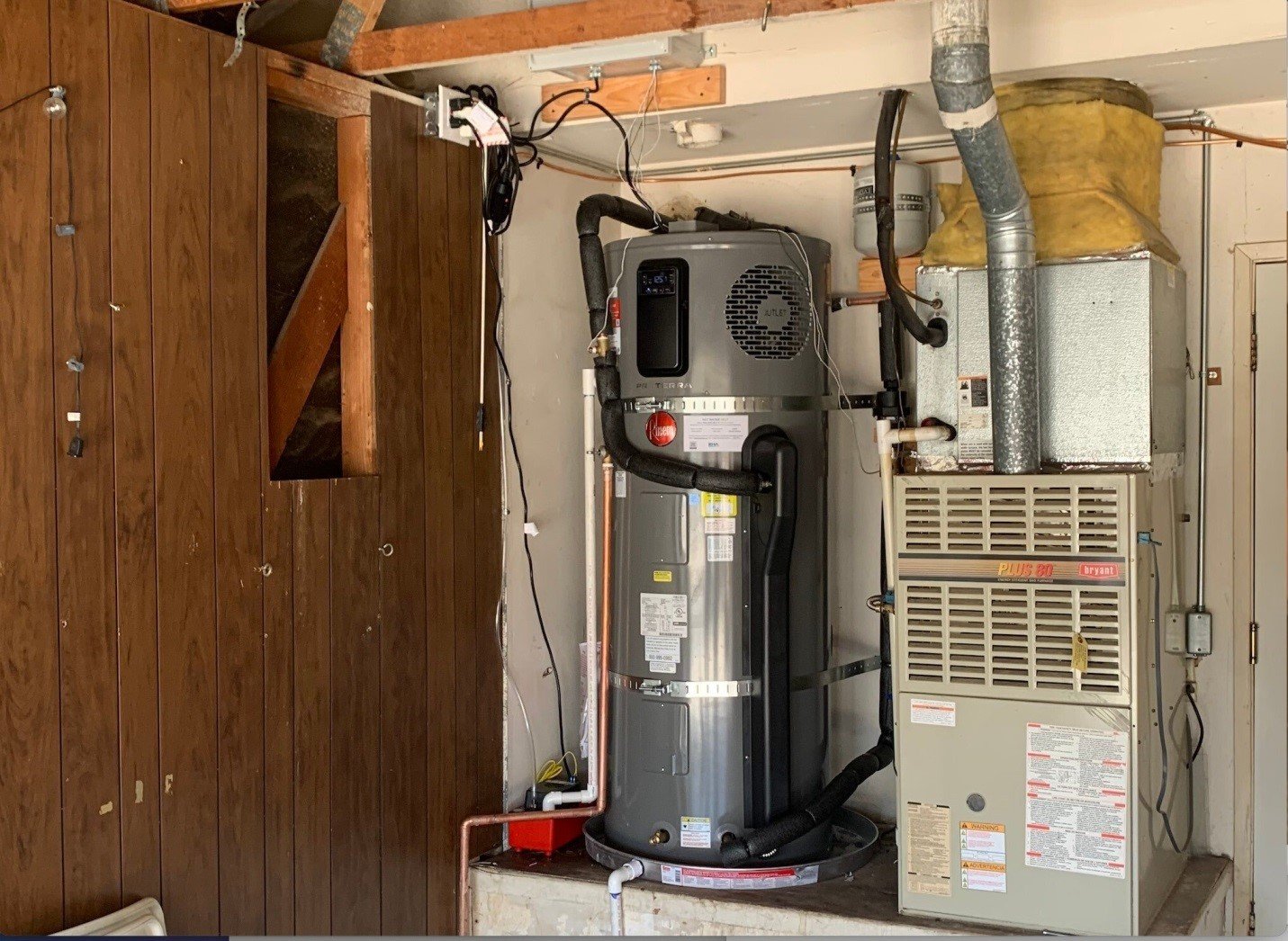
Now, when you first figure out that you need to replace your current device, or when the time comes for you to buy a new one at that new property, you will probably spend some time looking at those different types that exist on today’s market, in an effort to make the best choice for your home. And, well, that is when you will come across numerous different devices, including the plug in heat pump water heater. There is certainly no doubt that that one will grab your attention.
After all, we are talking about a water heater that is known for being highly energy efficient. And then, the fact that it is a plug in one means that you can have it easily installed at your property, without having to do any additional electrical or plumbing work, since the device plugs into a standard household outlet. Furthermore, these are also quite durable, meaning they will pay off in the long run, especially when you get a highly energy efficient one that will save you money on electricity bills, as well as if you potentially make use of some rebates and incentives that could lower the initial costs.
Anyway, the fact that you are here tells me that you have already decided to get this plug in HPWH for your property. The only thing left to do now, thus, is figure out how to, well, do that the right way. That is, how to buy the perfect device for yourself. And, that is something that we will discuss below, taking you through the steps that you should take, as well as letting you know of the factors you should consider in order to ultimately make the perfect decision. Click this to learn what you need to know about HPWHs.
Choose the Right Size
It should go without saying that choosing the right size is of utmost importance here. And, to select the right size, you will need to determine your particular household needs, as well as think about the actual space where you want to have this device installed. Choosing the right tank capacity is definitely crucial, so don’t make any hasty decisions here, and get some advice from professionals if you’re not sure how to make this choice on your own.
Check Efficiency Ratings
Moving on, you will also have to check the efficiency ratings. When getting a plug in HPWH, you can surely expect the device to be energy efficient. Yet, you should know that there are different ones out there, and that their energy efficiency ratings are also different. Your task here is to get a device that has a good energy efficiency rating, as that is how you will save money on electricity in the long run.
Consider Noise Levels
Most plug in HPWHs tend to be quiet, but this is something you should check, instead of assuming. This goes especially if you’re planning on having the device installed, say, near a sleeping area, or in a small apartment. The idea is for you to check the sound ratings before making any kinds of buying decisions, if the noise level is a factor for you.
Research Different Brands and Compare
Naturally, in addition to simply checking the devices and their quality, you should remember to research the different brands as well, and then compare them. The goal here is for you to get an amazing, Easy-install plug-in heat pump water heater from a reliable and reputable brand that is known for offering great quality products. So, take time to research those brands out in more details, and then ultimately choose the best one for you.
Keep Warranties in Mind
Keeping warranties in mind is also of great importance here. In short, you want the professionals you get this product from to offer you warranties on the device. So, check those out to see how long they last and what it is that is covered.
Compare the Prices
Finally, remember to compare the prices. But, also remember to check for tax credits, rebates and incentives. That way, you will ultimately get the best plug in HPWH for a completely fair price, and thus save on your investment right from the start.
Introduction to Rule 10b5-1 Trading Plans
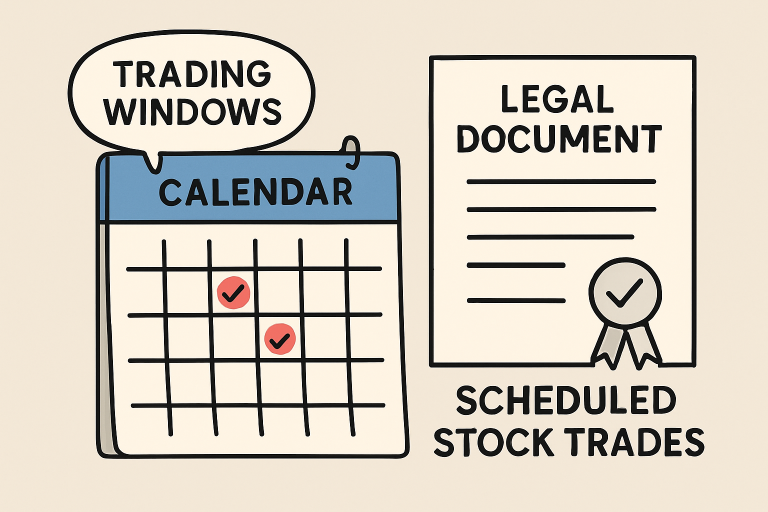
Navigating insider trading regulations is a critical responsibility for corporate insiders and executives. The SEC’s Rule 10b5-1, established in 2000, was designed to provide executives with a legal avenue to trade company stock without the risk of being accused of insider trading—so long as the trades are set up in advance according to predetermined criteria. 10b5-1 trading plans are structured to allow such scheduling, helping insiders demonstrate that trades were not influenced by material nonpublic information (MNPI) at the time of plan adoption.
These plans are increasingly important given today’s volatile market environment and the heightened scrutiny surrounding executive stock sales. As regulatory scrutiny increases, having a robust 10b5-1 plan is not just a good idea—it’s essential for maintaining transparency, supporting effective compliance, and protecting both the individual and the corporation.
By leaning on these predetermined schedules, corporate officers can focus on running the business, secure in the knowledge that their trades are insulated from legal risk, so long as the rules are strictly followed. This blend of rigor and flexibility is why so many companies encourage key personnel to use 10b5-1 plans as a core tool for insider trading risk management.
For those new to this topic or seeking to understand the nuances of regulatory compliance in executive trading, this guide clarifies the structure of 10b5-1 plans, highlights key recent changes, and offers practical implementation tips.
Recent Regulatory Changes and Their Implications
In December 2022, the Securities and Exchange Commission made significant amendments to Rule 10b5-1 to address potential abuses and increase investor confidence. Some of the most notable changes include:
- Cooling-Off Periods: Directors and officers who establish a 10b5-1 plan must now wait a specified period before the plan’s first trade can be executed. This cooling-off period, commonly 90 to 120 days, is meant to ensure that trades are not coordinated on the basis of inside information.
- Restrictions on Multiple and Overlapping Plans: Executives are now restricted from using multiple, overlapping 10b5-1 plans or single-trade plans, practices that previously enabled potential manipulation of trade timing and volume.
- Enhanced Public Disclosure: Companies must provide more detailed disclosures in their quarterly reports to the SEC about insiders’ adoption, modification, or termination of 10b5-1 plans, thereby boosting transparency for investors and market participants.
These reforms are designed to close loopholes and elevate market integrity. Executives and companies alike need to adapt quickly to these amendments in order to avoid unwanted regulatory attention or reputational damage. For an in-depth breakdown of these SEC rule changes, see this SEC press release. Overall, the updated Rule 10b5-1 requirements underscore the SEC’s broader push for greater transparency, accountability, and investor protection. Staying informed and aligning internal trading policies with these reforms can help organizations maintain compliance while reinforcing trust with shareholders and the broader market.
Best Practices for Implementing 10b5-1 Plans
To ensure both full regulatory compliance and the credibility of insider trading defenses, executives should adhere to the following best practices for designing and managing their 10b5-1 trading plans:
- Establish Plans Only During Open Trading Windows: Initiate or modify plans when you do not possess MNPI, ideally during company-authorized open trading periods. This supports the plan’s good-faith nature.
- Respect the Required Cooling-Off Period: Never execute trades until the mandatory cooling-off period has elapsed. Any deviation can undermine the plan and raise red flags with regulators.
- Avoid Overlapping Plans: Limit yourself to one active 10b5-1 plan to avoid the appearance of gaming the system and to align with new restrictions.
- Maintain Detailed Records and Approvals: Document the rationale, approval process, and dates of plan adoption, modification, or termination. These records will be essential if the plan’s legitimacy is ever called into question.
- Conduct Regular Reviews: Revisit your plans periodically with legal counsel and compliance teams to ensure ongoing alignment with current laws and your company’s policies.
Many experts recommend a proactive approach to plan management, including regular training sessions and audits, to help prevent unintended violations.
Conclusion
For corporate executives and insiders, 10b5-1 trading plans are indispensable tools for lawful participation in equity markets. As regulatory expectations and enforcement intensify, careful adherence to best practices—matched with rigorous disclosure and diligent plan maintenance—forms the foundation for effective compliance. Remaining informed, seeking regular legal counsel, and following the latest guidance from agencies like the SEC will help executives safeguard their interests and uphold corporate integrity for long-term trust with stakeholders.

Why Modern Homeowners are Moving Away from Manual Pool Maintenance

6 Best Movies for Travel Lovers